Keeping several gyms
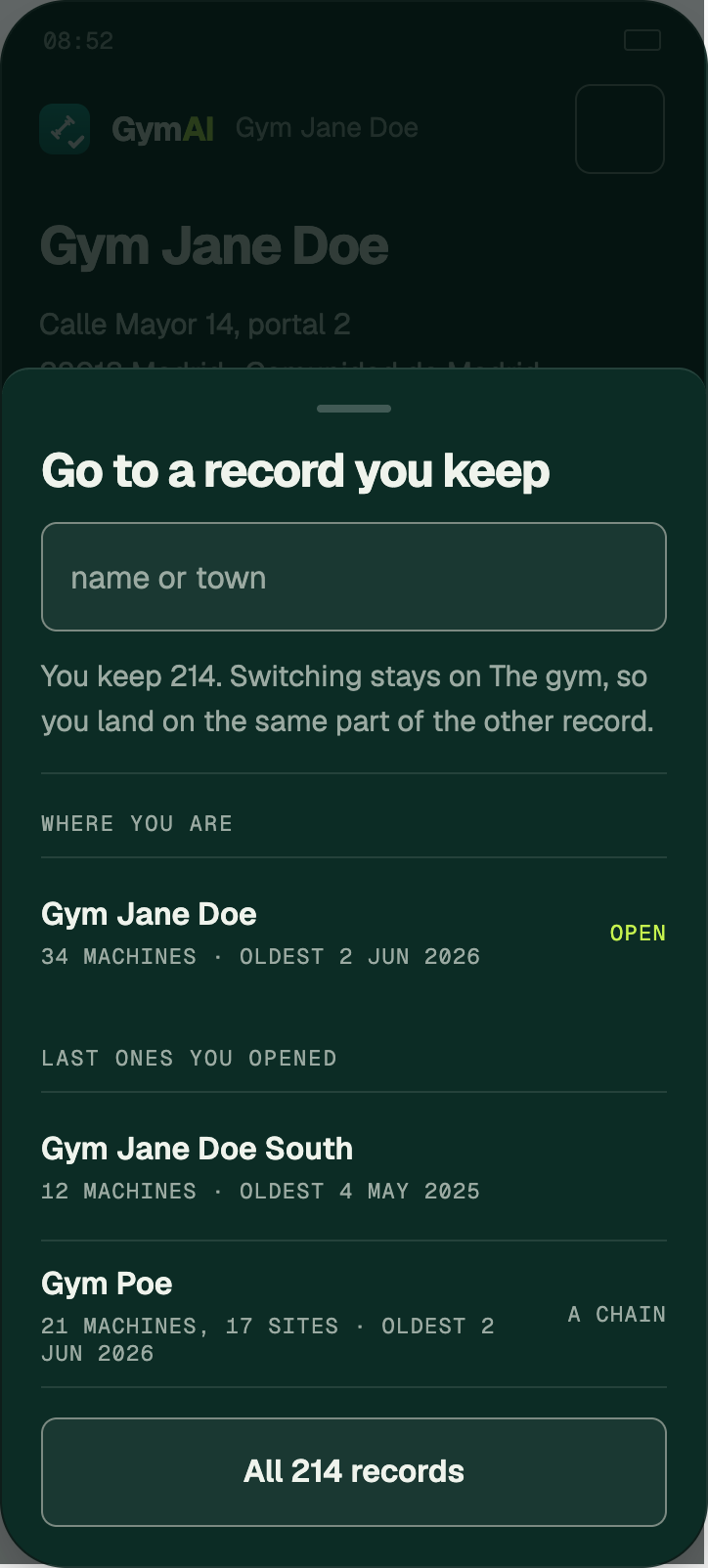
One account can keep many records. The name at the top is how you move between them.
Where it is
/console/records
What to do
- Press the record’s name at the top of any console screen. It opens Go to a record you keep.
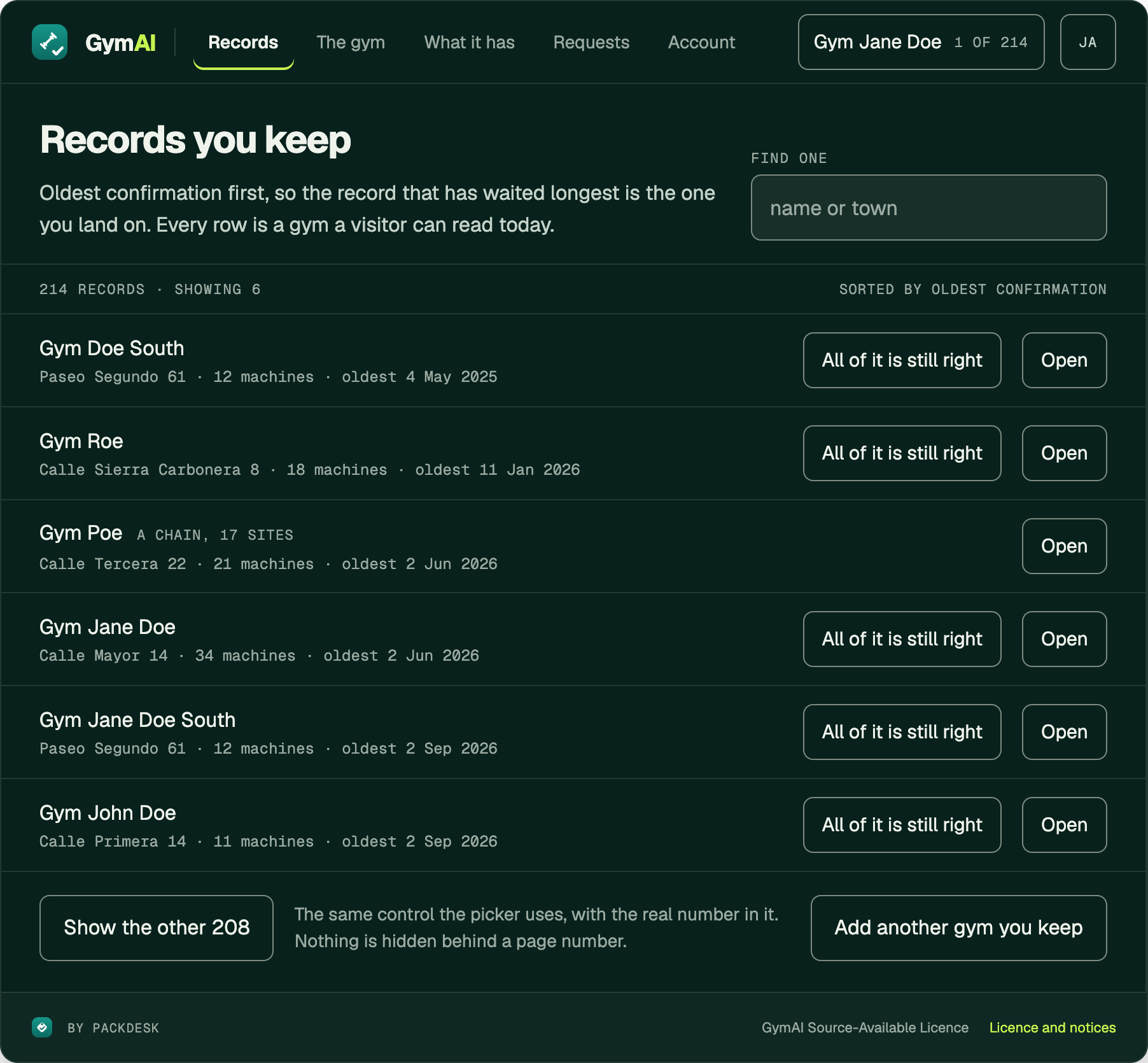
- Pick one, or press All N records for the whole list. Add another gym you keep starts a new claim.
- Records you keep lists them oldest confirmation first — the one most in need of a look is at the top.
Worth knowing
- Each row carries its own All of it is still right and its own Open, so a round of confirmations can be done without opening anything.
checked against the product 21 September 2026