Create your gym account
A username, your name, an address and a password. The account is yours, not the gym’s — you can keep more than one gym in it later.
Where it is
/console/register
What to do
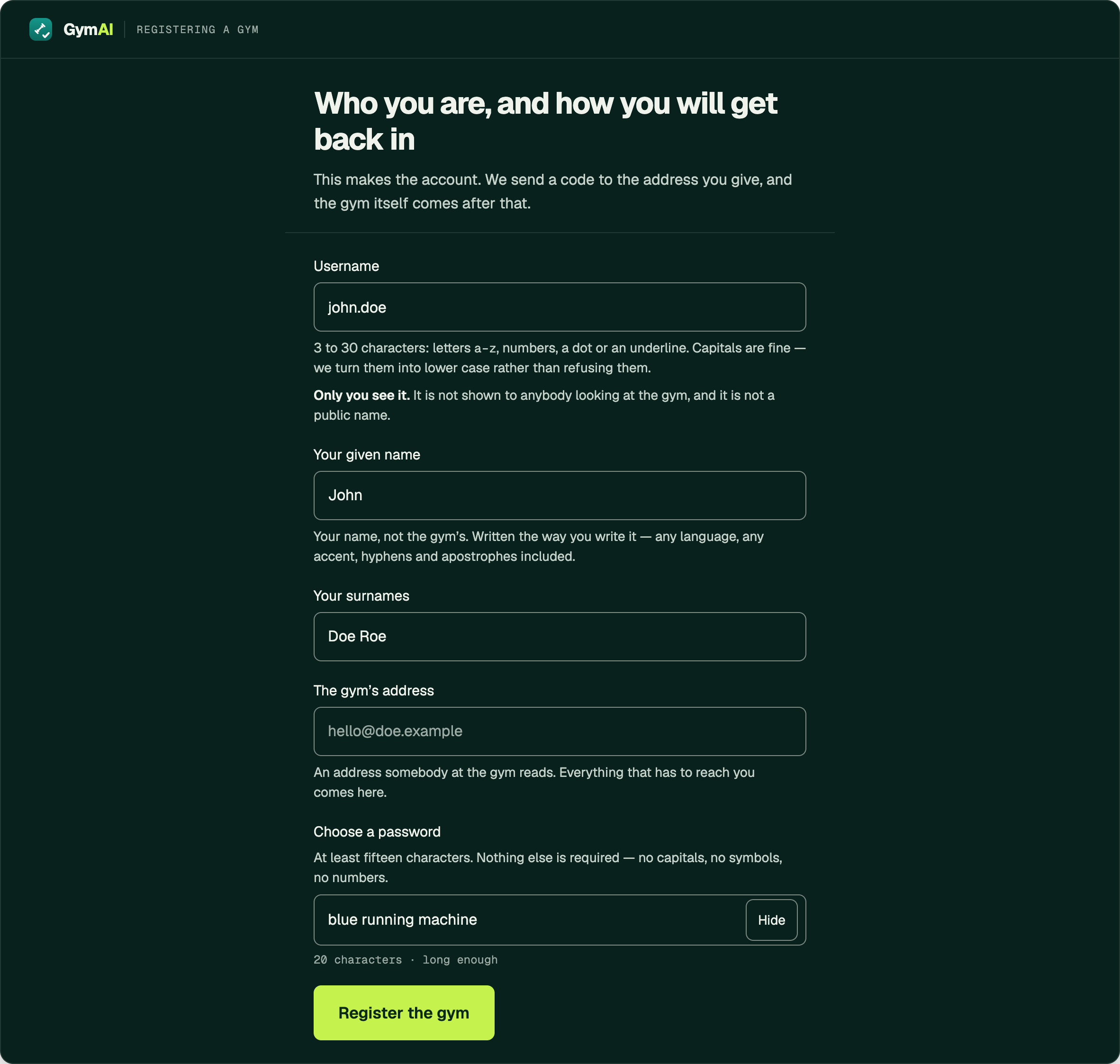
- Open the console. The page reads Registering a gym, and the form is headed Who you are, and how you will get back in.
- Choose a Username. Three to thirty characters: letters a–z, numbers, a dot or an underline. Capitals are fine — they are lowered rather than refused. Only you see it, and it has to be unique across every GymAI site we run, not only this one.
- Type your own name in Your given name and Your surnames. Yours, not the gym’s, written the way you write it.
- Type the gym’s address in The gym’s address. Use the front-desk address rather than a personal one: it is where every code and every notice will go.
- Type a password in Choose a password. It must be 15 characters or more, up to 256. There is no other rule — no capitals, no digits, no symbols demanded. A passphrase of three or four words is the easiest way to reach fifteen.
- Press Register the gym.
Worth knowing
- A password that is on the list of the ones people try first is refused, however long it is.
- The count under the field is a count, not a refusal: 8 more needed while you are short, long enough once you pass fifteen.
- There is no passkey on this screen. Passkeys are offered when you sign in, once you have one.
If it does not work
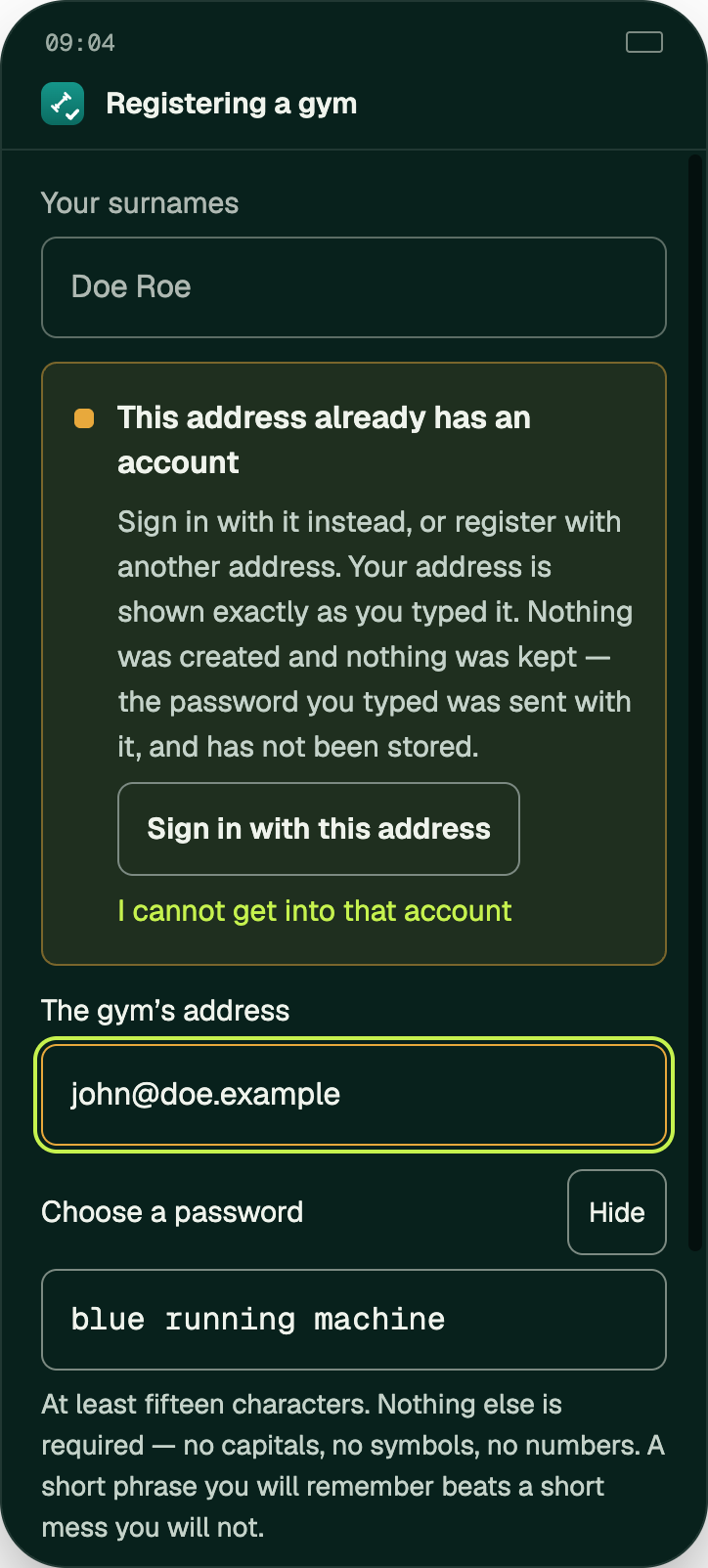
- This address already has an account — the address is already registered. Use Sign in with this address, or I cannot get into that account.
- When the address is refused, both fields keep exactly what you typed — nothing was created, so nothing was undone. The password was sent with the address and has not been stored.
- Too many attempts. Try again shortly.
checked against the product 21 September 2026